Updating software
The battery software is updated via the inverter to which the battery is connected. You will find an accurate description of updates in the operating manual for the inverter.
Performing manual updates
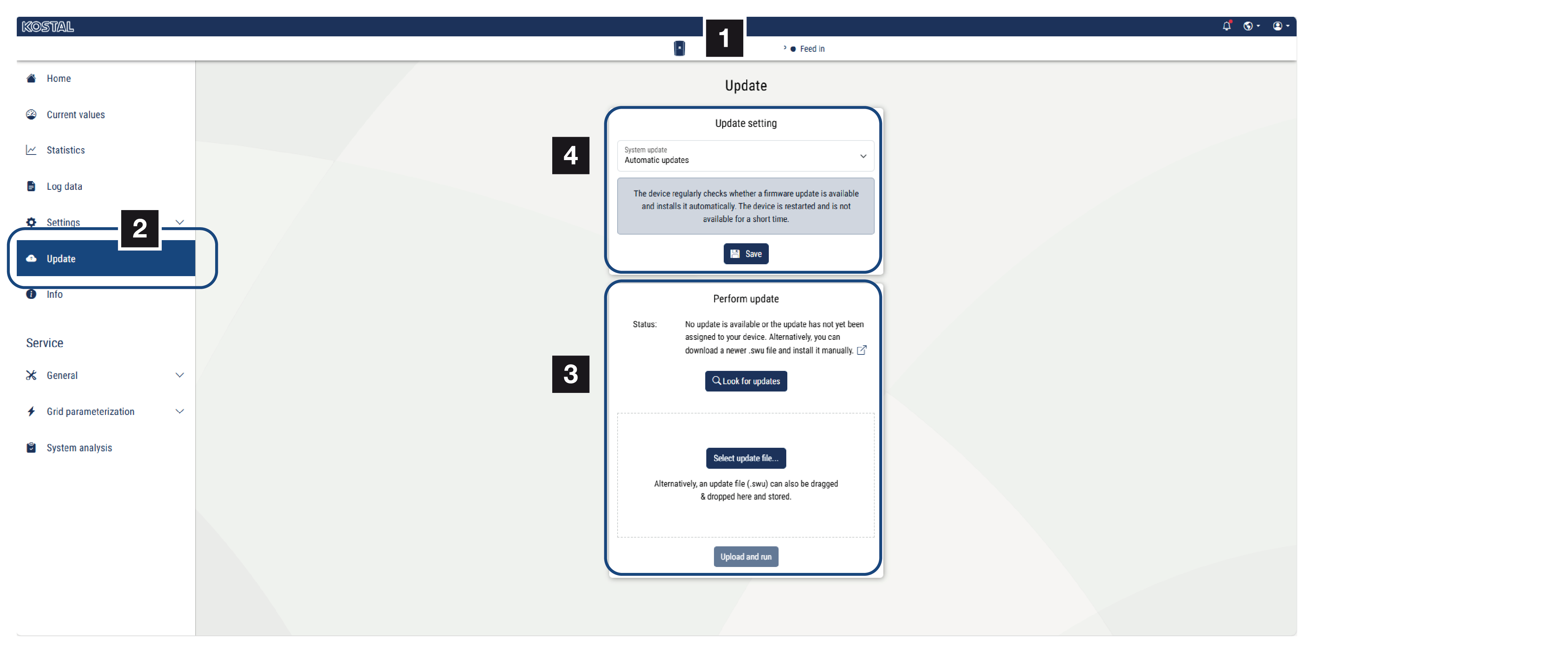
- Open the inverter’s Webserver.
- Go to Update in the Webserver.
- Update the battery’s software by going to Look for updates or select the current update file in .bin format by going to the Select update file option on your PC. You can find the current updates on our website in the download area for your product and by going to Software & Updates.
Switching updates to automatic updates
- To do this, open the inverter’s Webserver.
- Go to Update in the Webserver.
- Under System updates, select Automatic updates.
- Save the settings.
- From now on, the battery will always be automatically updated with the latest updates.