Switched outputs at a glance
Four digital switched outputs with a load capacity of 24 V/100 mA each are available at the inverter's X1401/X1402 terminals. These can be used to control existing loads or actuators.
In addition, events that occur can be signalled. If there is an event message, the inverter can trigger an actuator connected to the switched output (warning light, message signal, smart home system), providing information about the event that occurred.
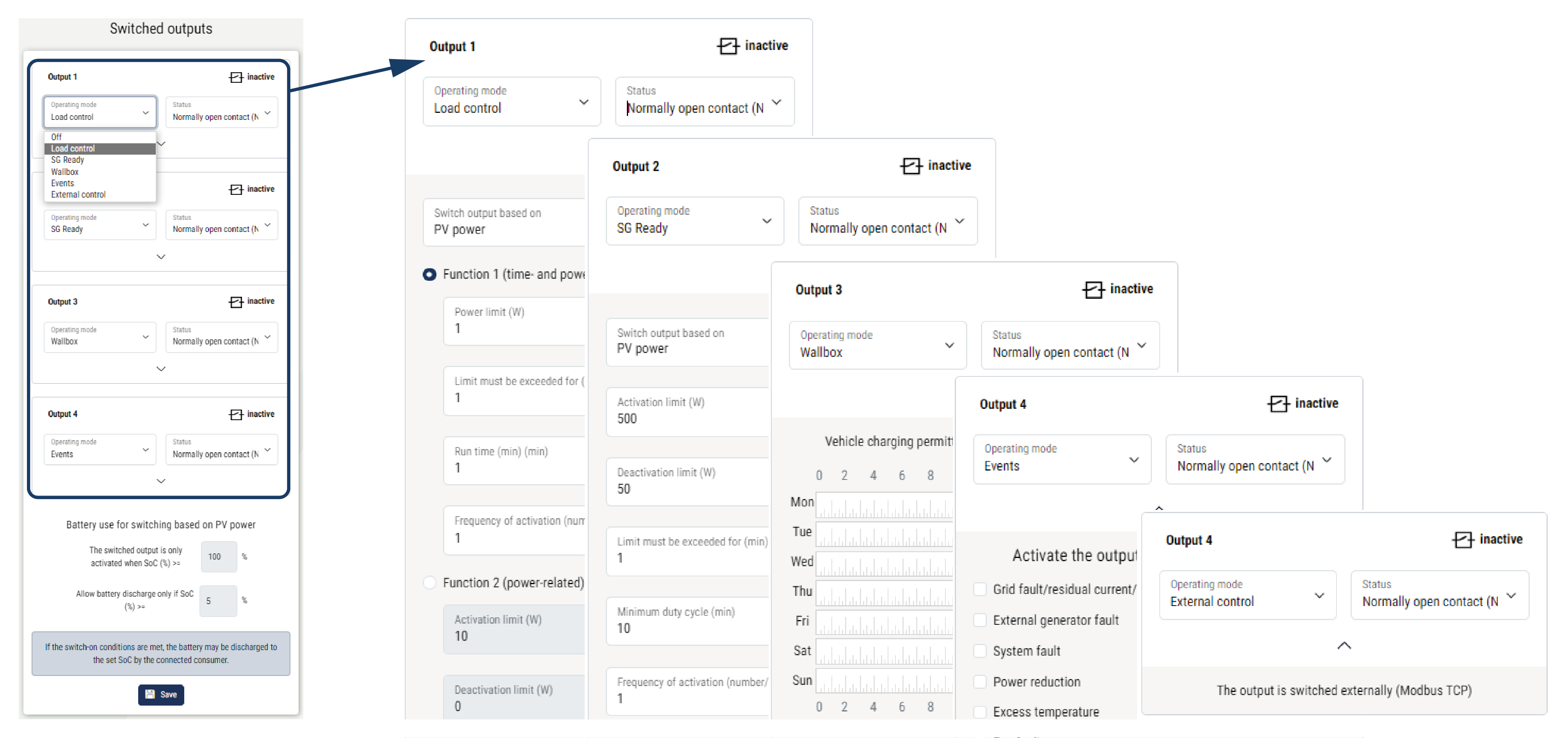
For this purpose, the switched outputs can be configured for the different operating modes via the Webserver. The corresponding switched output is activated or deactivated as soon as the configured conditions occur.
In the Load control, SG ready and Wallbox modes, you can select the basis for the switched output to be activated. You can decide whether the output switches based on the excess power fed into the utility grid or when a certain PV power is exceeded.
For information on connecting self-consumption control, see Connection of switched outputs.
Configure self-consumption control
- Open the web server.
- Go to Service > General > Switching outputs.
- Under Configuration for Output x, select the Operating mode and the Status of the switch.
- Configure the conditions under Output x:….
- Save the settings.
- The configuration is now complete.
Possible operating modes
- Load control: The switched output is activated as soon as the configured excess occurs. A consumer can then be switched on via a relay Set up self-consumption control for load control
- SG ready: Generated energy can be made available to a heat pump Set up self-consumption control for heat pumps (SG Ready)
- Wallbox: Use energy to charge an electric vehicle Set up self-consumption control for wallbox
- Events: Activate the switched output for certain events, e.g. to activate a signal horn Set up switched output for reporting events
- External control: The output is switched externally (via Modbus/TCP) and can thus switch a consumer, e.g. a battery Switched output via external control
Possible statuses
- Normally open contact (NO): Normally the contact is open (NO = normally open). The contact is closed when the set conditions are met.
- Normally closed contact (NC): Normally the contact is closed (NC = normally closed). The contact is opened when the set conditions are met.