Multi Device Control (MDC)
The Multi Device Control (MDC) function is available on the PLENTICORE G3 from software version 3.06.10 onwards.
Multi Device Control (MDC) is used to control and monitor compatible devices (e.g. inverters) in the same home network via an MDC host inverter.
An MDC host inverter must be a PLENTICORE G3 or PLENTICORE BI G3 inverter.
The operating mode, i.e. whether an inverter is installed as an MDC host, an MDC client or without MDC (stand-alone device), must be specified during initial commissioning.
If MDC is to be used with already installed single devices, the operating mode of the inverter can be changed retrospectively if necessary via the inverter menu item Service > General > Operating mode. During the new initial commissioning, the operating mode must then be reset and MDC host or MDC client selected.
If one or more batteries are used in an MDC system network, care must be taken to ensure that a battery is connected to the MDC host inverter.
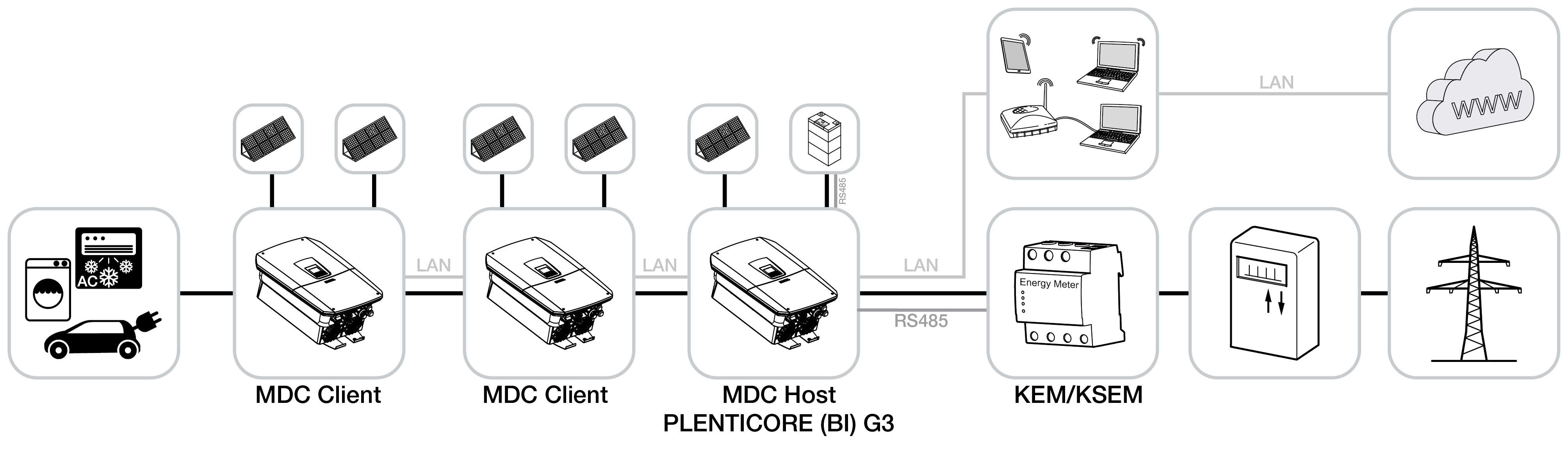
The battery management system (BMS) with MDC, a paid product extension/add-on option, enables the use of batteries with compatible MDC client inverters within a PV system. However, in this case, a battery must be connected to the MDC host. Furthermore, the battery connected to the MDC host inverter must have the largest capacity.
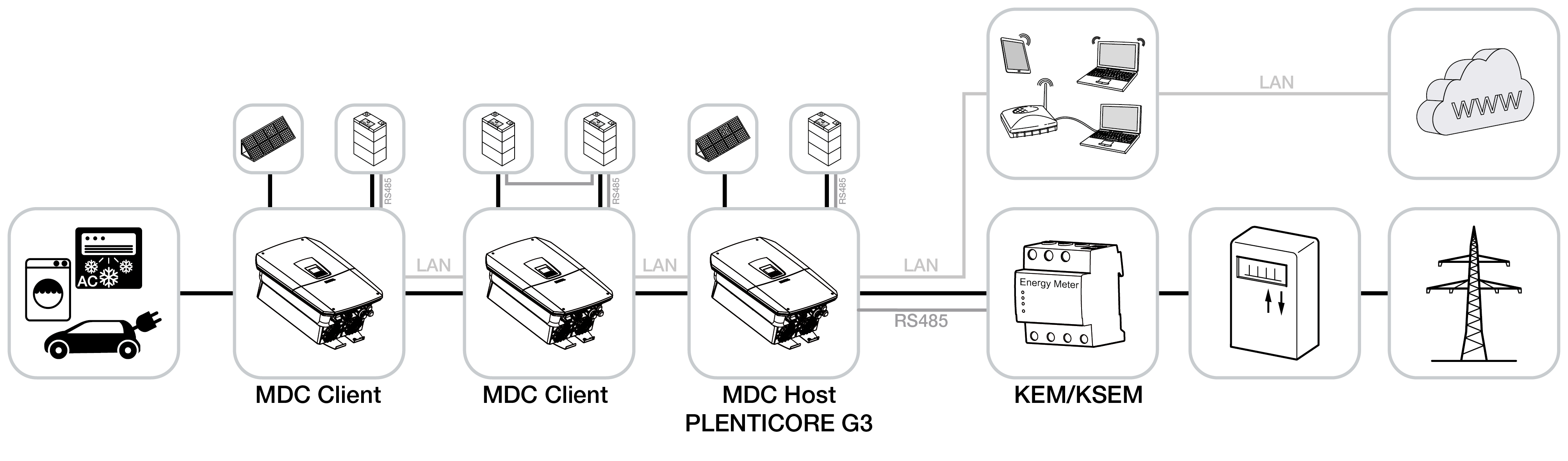
If several PLENTICORE G3 inverters with batteries have been installed in the home network, all batteries can be controlled via the MDC host inverter. To do this, the paid product extension Battery Control with MDC must be activated on the MDC host inverter. Without this product extension, only one PLENTICORE G3 inverter with a battery can be operated in the home network. However, it is possible to control and regulate (e.g. power limitation at the grid connection point) other MDC client inverters via the MDC host inverter even without the product extension.
The MDC Host Inverter features a device manager for device management. The device manager lists all devices detected on the home network via the MDC Host. These can then be connected to the MDC Host Inverter and displayed in the power flow diagram.
Further information on the connection and setup of multiple KOSTAL inverters via Multi Device Control (MDC) can be found in the document "Connection and setup of multiple KOSTAL inverters via MDC".