Device Manager
The Device Manager is only displayed on the inverter that has been configured as an MDC host inverter. The assignment of whether an inverter becomes an MDC host or MDC client inverter is determined during initial commissioning.
An MDC host inverter can only be a PLENTICORE G3 or PLENTICORE BI G3 inverter.
Multi Device Control (MDC) is used to control and monitor compatible devices (e.g. inverters) in the same home network via the MDC host inverter.
An MDC host inverter can be operated with or without a battery. If a battery is used in the system network, it must be connected to the MDC host inverter.
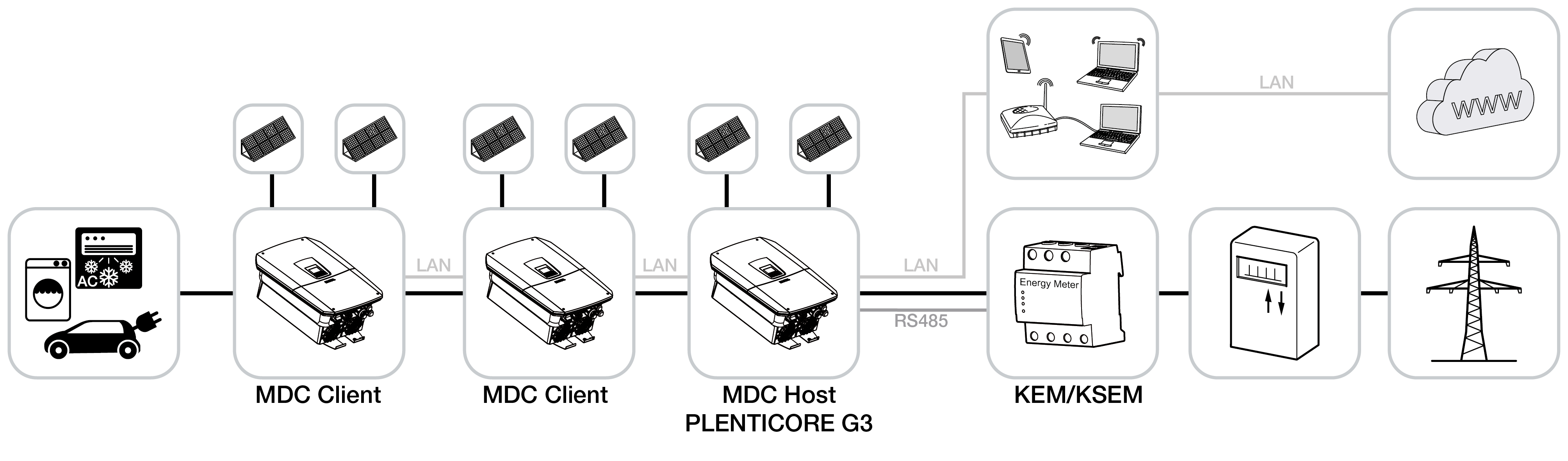
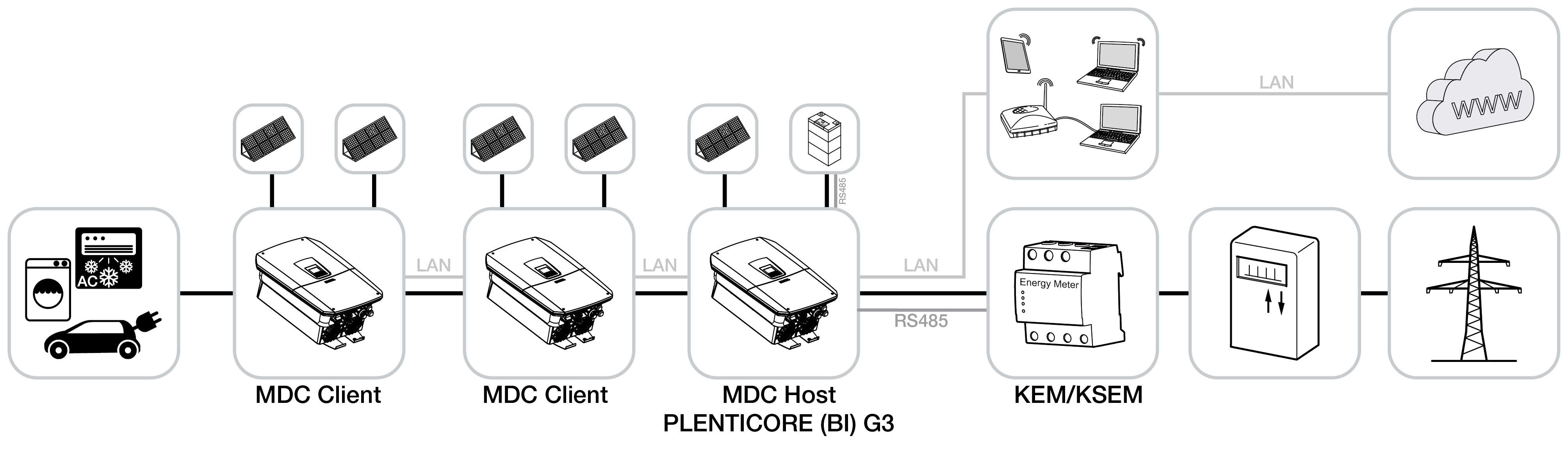
The battery control with MDC product extension/add-on option (subject to a fee) allows additional batteries to be used with up to two further MDC client inverters in the system. In this case, one battery must be connected to the MDC host inverter. Furthermore, the battery with the largest storage capacity must be connected to the MDC host inverter, or all batteries must have the same storage capacity.
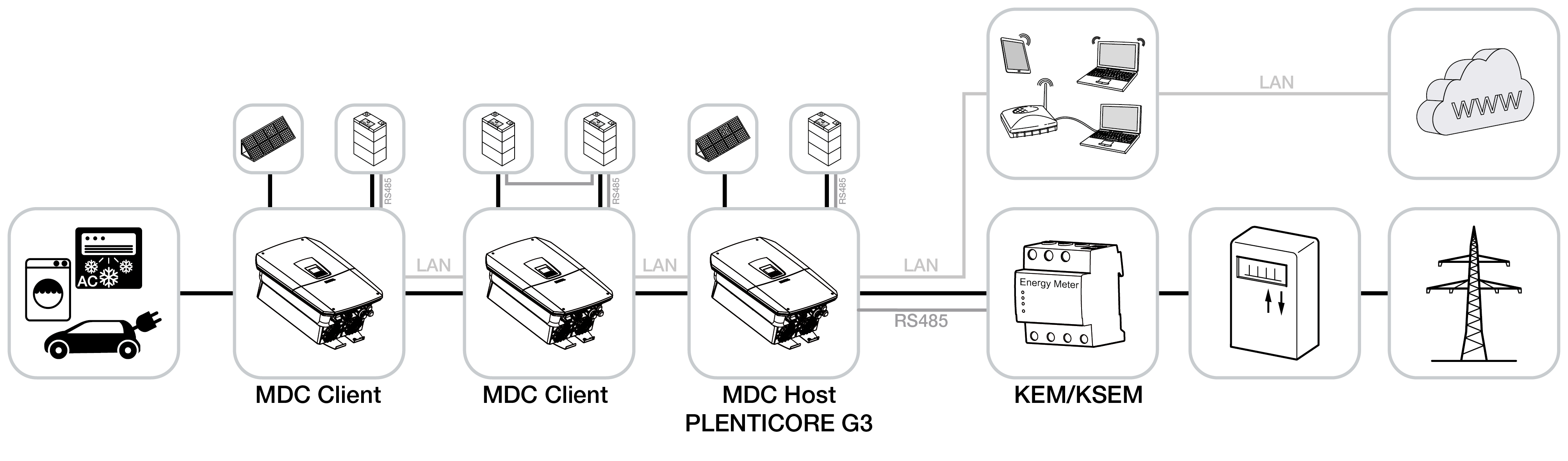
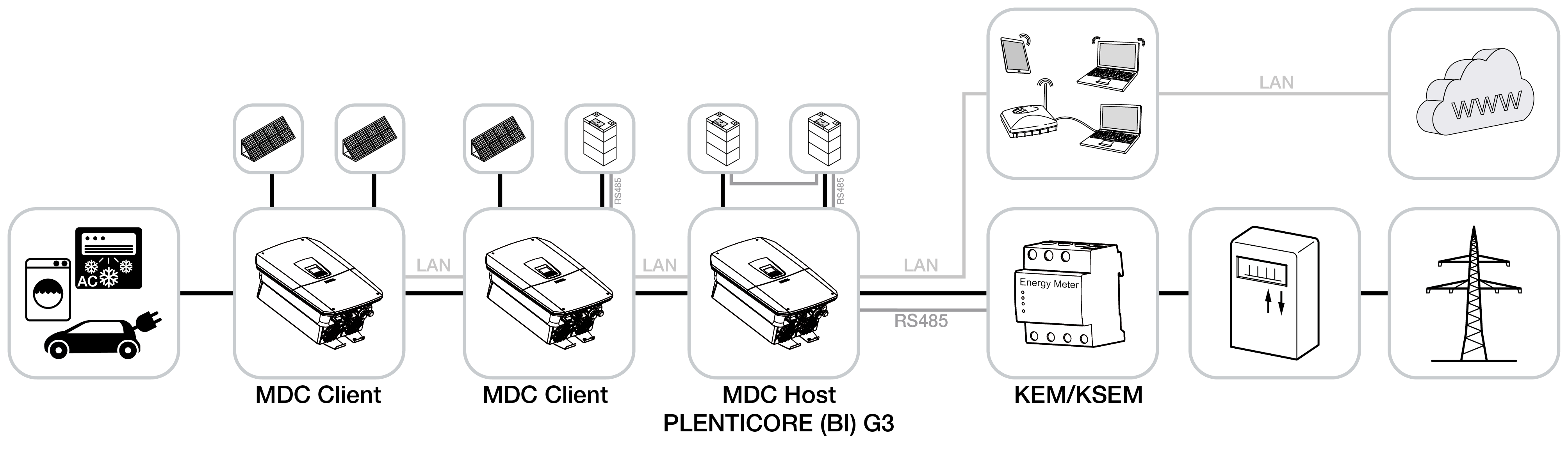
Further information on the connection and setup of multiple KOSTAL inverters via Multi Device Control (MDC) can be found in the document "Connection and setup of multiple KOSTAL inverters via MDC".
The Device Manager menu displays all compatible devices that were automatically found in the home network by the MDC host. These can be added to the MDC control/visualisation system after the MDC host inverter has been commissioned for the first time.
Use the Add manually option to connect the devices to the MDC host inverter. Depending on the device, these can then be read out or also controlled.
INFO

Dual control/regulation
If Multi Device Control (MDC) is used, control via the KOSTAL Smart Energy Meter (KSEM) must not be used in parallel. This means that no devices may be set up in the KOSTAL Smart Energy Meter (KSEM) under the ‘Inverter’ menu item. Active power limitation is configured only via the MDC host inverter and must be deactivated in the KSEM.
If there are incompatible devices on the home network that can only be controlled via the KSEM (e.g. PLENTICORE plus G1), MDC cannot be used for control. In this case, the inverter must be set up as a stand-alone unit (see operating mode) and all devices to be controlled must be configured in the KSEM.
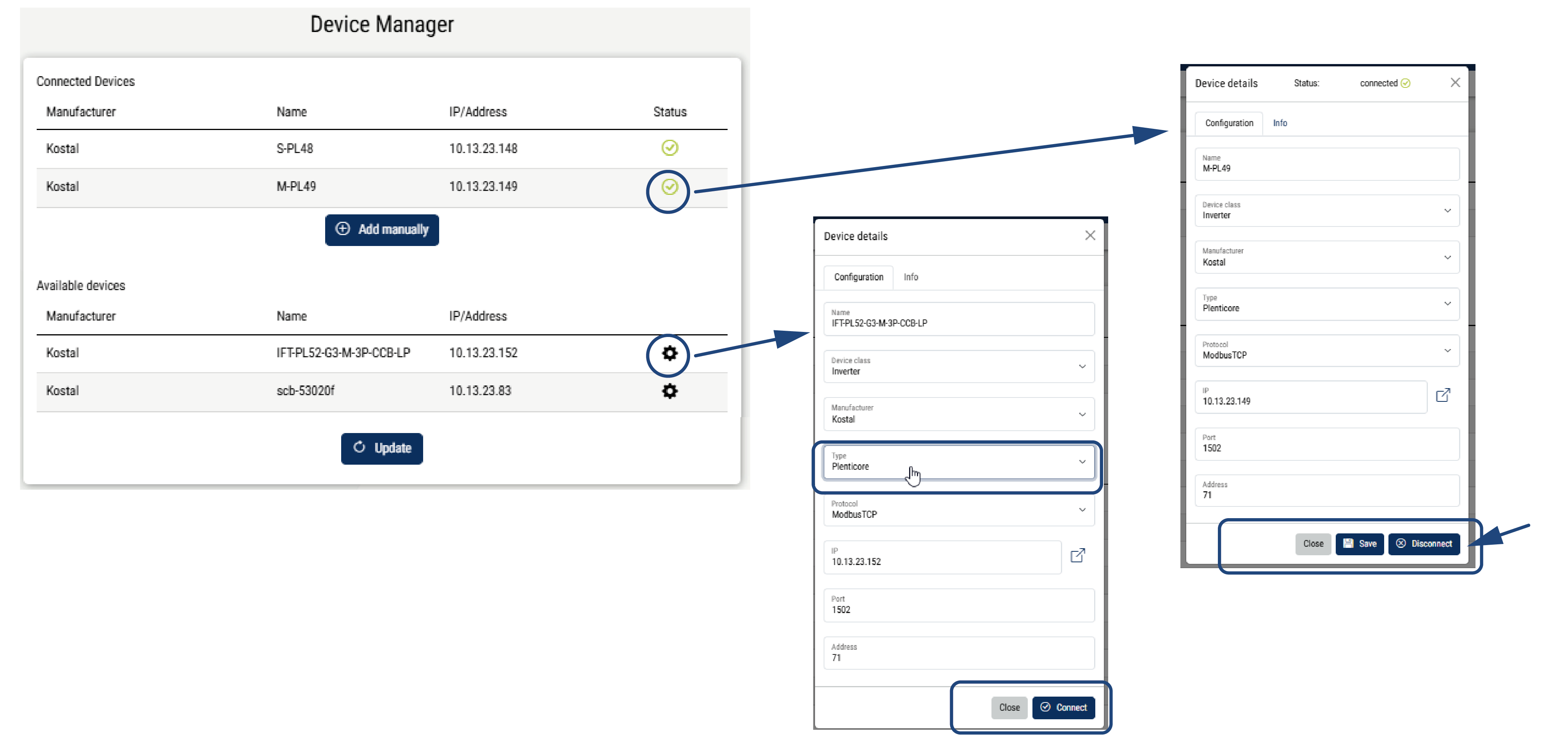
An inverter is connected to the MDC host by accessing the inverter settings, selecting a type (e.g. PLENTICORE) and then clicking Connect.
|
Parameter |
Explanation |
|---|---|
Connected devices | Displays all devices connected to the MDC host inverter. Manufacturer: Display of the device manufacturer Name: Device name IP address: IP address of the device Status: Green tick indicates that the device is connected. A red X indicates that the connection cannot be established or that there is an error. Click on the device to open the settings. These can be adjusted. Disconnect disconnects the connection to the MDC host inverter. Under Info, you can see the current performance values for the device. Add manually: Use this button to connect devices for which you want to enter the data manually or which do not appear in the list below. |
Available devices | Displays all compatible devices found on the home network by the MDC host inverter. The ‘Refresh’ button can be used to scan the home network for new devices. Manufacturer: Display of the device manufacturer Name: Device name IP address: IP address of the device Settings (gear icon): Use this option to connect the device to the MDC host inverter. All fields must be completed. The device is then connected to the MDC host inverter via Connect. |