Remote Access
As an installer, you can log in directly to the customer’s inverter via the KOSTAL Solar Portal and configure the inverter remotely, read out events and analyse faults. To do this, the inverter owner must first enable remote access on the inverter. In the KOSTAL Solar Portal, navigate to the relevant system and locate the inverter you wish to connect to in the system’s device list. Click on the remote control icon to initiate the connection. It is important to note that, as an installer, you must have been assigned the role of ‘Installer’.
Requirements
- As an installer, you have a terminal account with the role of installer/fitter.
- You are registered as the system administrator for the customer’s system in the KOSTAL Solar Portal.
- The PLENTICORE G3 has software version >= 03.06.06.xxx installed.
- The remote access function is enabled on the inverter.
Restrictions
- Due to the file size, a software update cannot be carried out via remote access on the inverter.
Enable remote access on the inverter
- On the inverter, open the Settings > Solar Portal menu.
- Enable the Remote Access function. To do this, select the duration for access.
- External access to the inverter has been enabled. It may take up to 15 minutes for the inverter to become accessible to the installer in the Solar Portal.
Establish a connection to the inverter via the KOSTAL Solar Portal
- In the KOSTAL Solar Terminal, the user must have the role of installer/fitter in order to access the inverter.
- Launch the KOSTAL Solar Portal at https://kostal-solar-portal.com/ and log in at . If you are not yet logged in to the KOSTAL Solar Terminal, the login screen for the terminal will appear first.
- Select the customer’s system from the system overview using the serial number or system name and open it.
- Select the Configuration > Devices menu.
- Start remote access via the Remote Access icon
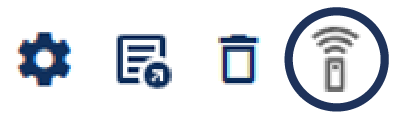 .
. - The web server of the customer’s inverter opens.
- Log in to the inverter as an installer.
- The connection has been established.