Setup wizard
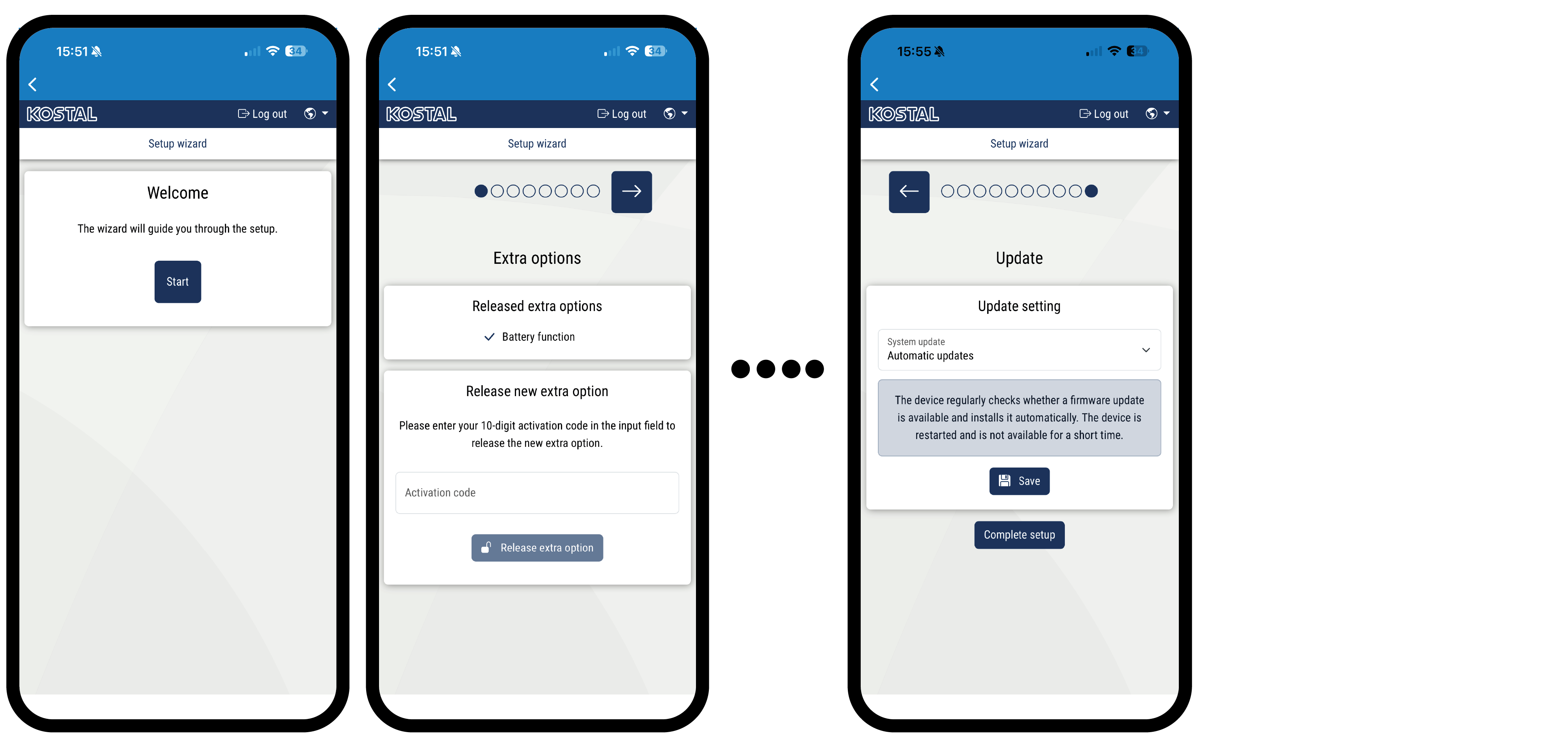
Once the connection has been established, the web page for the initial setup of the inverter will open automatically in the web browser of the connected device. If this is not the case, please enter the IP address of the inverter manually in the browser. The address is shown on the inverter display.
INFO

If a message appears stating that the inverter's Wi-Fi is not connected to the internet and that mobile data should be used instead, remain connected to the inverter's Wi-Fi.
INFO
Activation codes purchased and received in advance with the KOSTAL Solar App are automatically transferred to the inverter and can be used during initial setup.
- Press the right arrow key.
- If this does not happen automatically, log in to the inverter as an installer using the master key and service code. The master key can be found on the inverter's type plate.
- Under Additional options, activate the necessary functions for this inverter (e.g. battery function). The additional functions are usually subject to a charge.
- Follow the instructions of the initial installation wizard.
- Save each page using the Save button.
- Press the right arrow key to go to the next page.
- Setup complete.
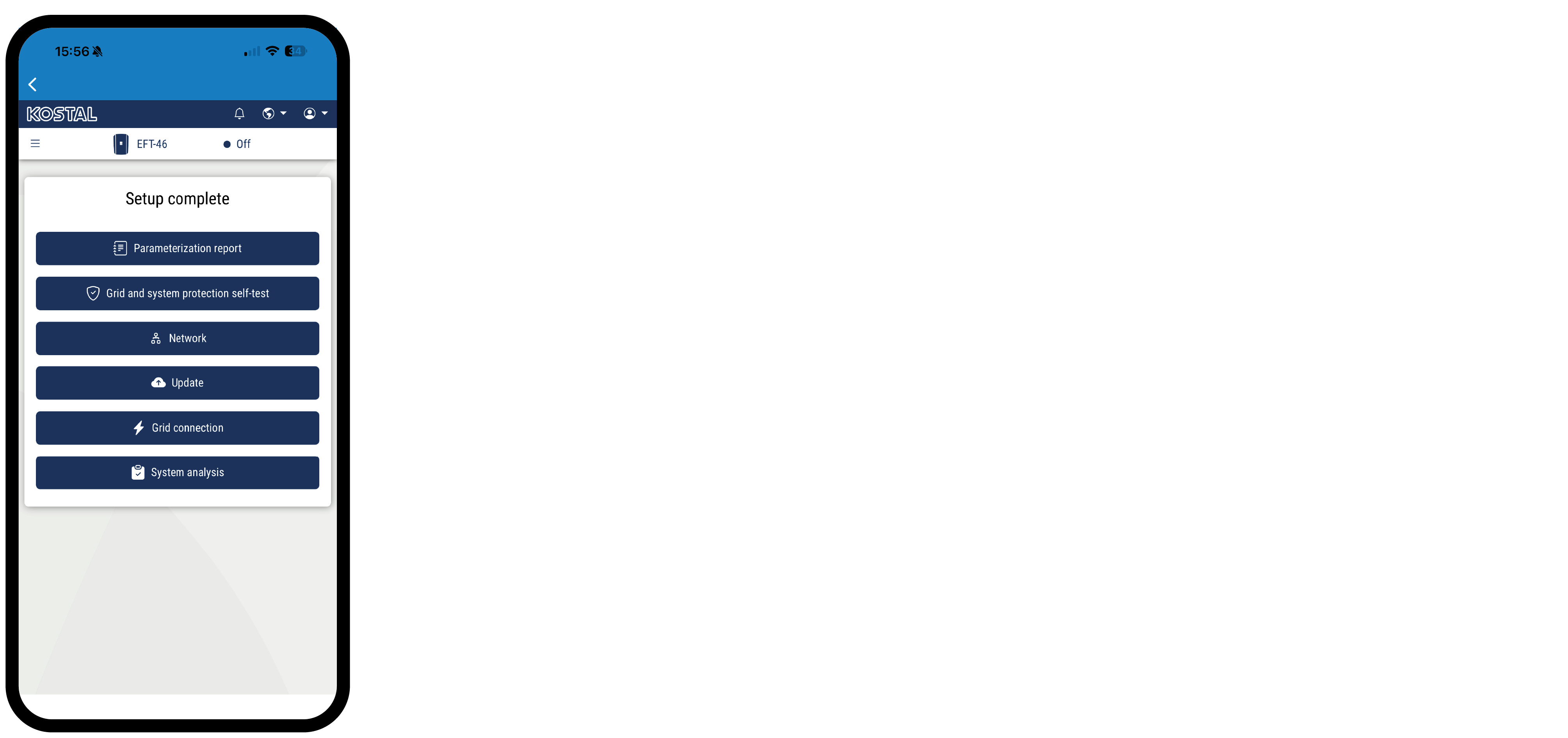
- To update the inverter to the latest version, perform an update.
- Finally, you can change the network settings, download the parameterisation report and, if necessary, start the self-test of the NA protection.
- The inverter has been set up and is ready for operation.